Find my kits here

Tasha's Playground Fan Page

Find me on Facebook

My Personal CT


Showing posts with label DSI. Show all posts
Showing posts with label DSI. Show all posts
Sunday, July 28, 2013
You can find this kit at any of my stores listed to the left of my blog :)
Featured in this kit are multiple Fabulous CU items from FourXDesigns, including one of my personal favs, her spray can pack. Visit here to purchase and to check out what else she has in store!

Here are a couple tags from the kit made by my girl Breena:


And here's a tag and cluster frame I made with the kit. There is also an extra "Thanks" tag in the download :) These are for Personal Use only. Do not share or copy. The frame may be altered and added upon, but do not alter, resize or change the extra tag in any way. Thanks!
Download here.


Thursday, February 7, 2013
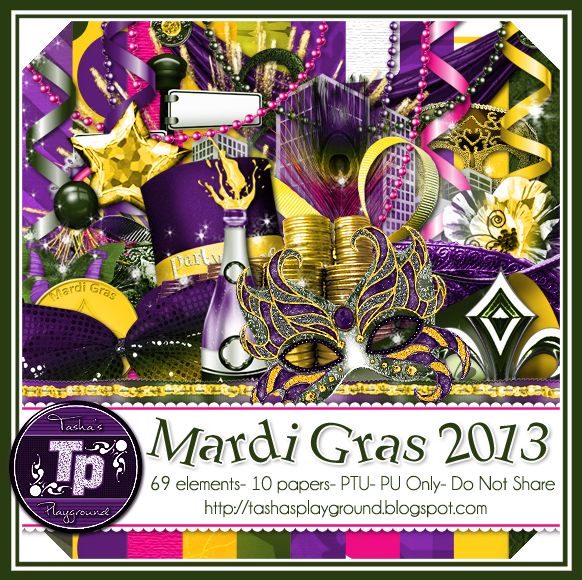
Hello all!!! I have a new kit in stores finally lol! Just in time for Mardi Gras..this tagger sized Mardis Gras scrapkit has 69 elements and 10 papers and is fun filled!! Loads of party elements, so you can definitely keep the celebration rolling after Mardi Gras ;o) You can find this kit in all of my stores. Hope you enjoy, and I'd love to see any tags made with it!
Don't forget, I'm Buy 2 Get 1 Free through Feb 14 at PFD, and 30% off in select stores!!!
Tut by Leah here

Extras by Shani here

Extras by Kiya here
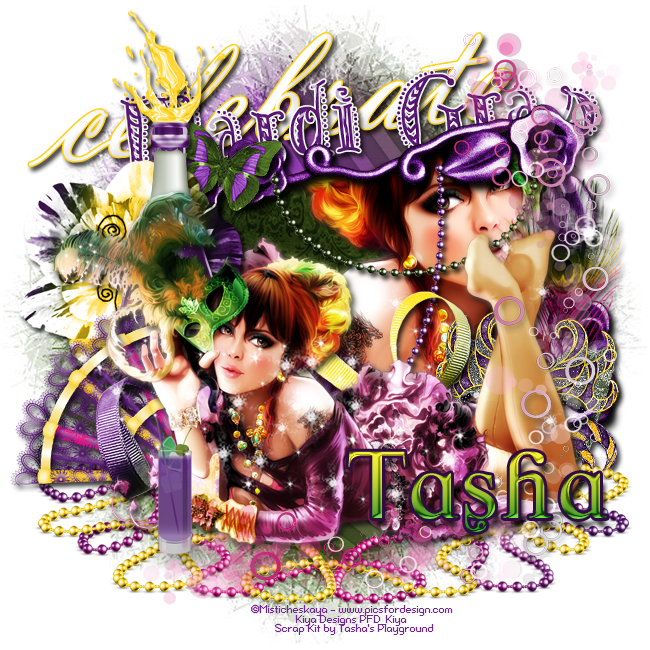
Tag show off from Kiya :)

Monday, December 10, 2012
I finally have a Christmas kit to play with..and I decided to go cute with it!! I had a lot of fun making this, and I hope you have just as much fun making tags with it :o) Don't forget, I am still having my moving in sale at DSI, but hurry, because it won't last long!!! You can pick this kit up at any of my stores listed to the left...enjoy!

Monday, October 1, 2012
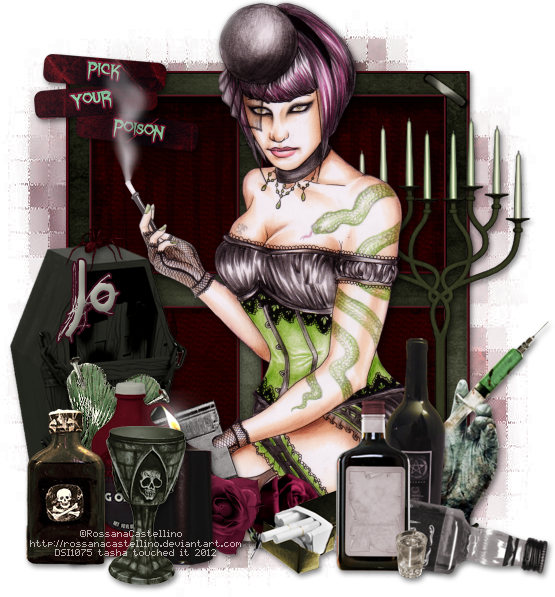
Supplies:
Kit- Pick Your Poison by A Taggers Scrap. This kit is FTU until Oct 16 and you can find info on her blog about it here.
Tube-I'm using the work of Rossana Castellino, which you can purchase at DSI here.
Mask- Vix_Mask365 here
Font- All Over Again
Photoshop CS5
I'm on a Mac, so when I use Command you may need to use Ctrl
Here we go :)
Command+N to open a new canvas 700x700
Place frame 8 in the center of the canvas.
Position paper 11 under the frame and size it so no parts extend past the frame.
From bottom to top place the following elements:
Refer to my tag for placement, or just do your own thing
wordart
candelabra
casket
razor blade 2
spider
rose
flower 5
heart 3
blood jug
syringe 3
candle 1
poison bottle 2
chalis
cigarette
alcohol
Double click the frame layer to bring up Layer Styles and add drop shadow.
Right-click frame and Copy Layer Style. Right-click again and Select Similar Layers.
Right-click one last time and Paste Layer Style. That should add a drop shadow to the rest of the elements.
Now place your tube among your elements. I put mine right above the casket layer.
Command+J to duplicate.
On copy layer, Filter>Blur>Gaussian Blur 2px.
Change blend mode to Soft Light, Opacity 60%. Drop shadow bottom tube layer.
Now let's get our mask ready! Open your mask on a new canvas.
Add a new layer above it, and flood fill with color of choice,
or use a paper from kit (I used paper 21).
Make sure your mask layer is activated and Command+A to Select All, Command+C to Copy.
Activate the paper layer, hit Q to turn on Quick Mask mode.
Command+V to paste the mask..it should now be tinted red.
Hit Q to turn off Quick Mask mode and there should now be marching ants on your canvas.
Hit the Add Layer Mask button at the bottom of the layer palette (rectangle with the circle in it)
Right click- convert to smart object
Right click- Rasterize layer
Drag completed mask to your tag canvas as the bottom layer
Resize it if needed.
I stretched it out using Command+T.
With your Rectangular Marquee Tool (m), draw out a selection around the entire
tag, just slight smaller than the canvas. Image>Crop.
This will get rid of any stray pixels or drop shadows you don't see.
Image>Trim>Top Left Pixel Corner to remove the excess space.
Add your license and copyright info to the tag.
Add name and any other text of choice.
Merge, save as PNG and enjoy :)
Thank you for trying my tut. If you have any questions or would like to show me your results, feel free to email me (bananas_68@yahoo.com) or post them on my Facebook :)
Subscribe to:
Posts
(Atom)
My Blinkies



I Get Creative For